
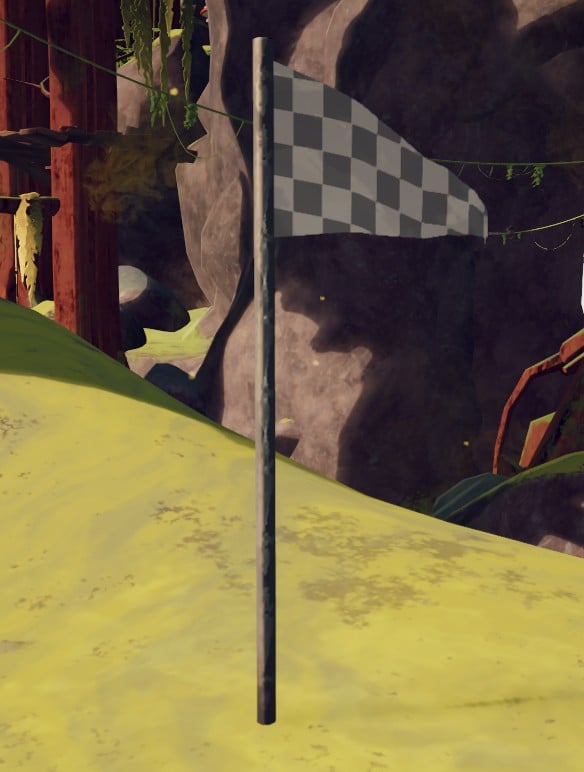
The Checkpoint Flag in PEAK is a new item introduced with the ROOTS update, serving as an essential safety feature for adventurers tackling the challenging mountain ascent.
This Checkpoint Flag can be incredibly beneficial, especially when utilized thoughtfully, as it represents a critical enhancement for survival. It’s particularly useful in scenarios involving perilous climbs, dangerous jumps, or while venturing into new biomes where unforeseen dangers lurk.
This addition provides a chance to recover from errors and maintain your progress, but what are the specifics? Here’s a comprehensive guide on how the Checkpoint Flag operates in PEAK.
Understanding the PEAK Checkpoint Flag
The Checkpoint Flag is a placeable item that creates a one-time respawn point in any level. Activating the Checkpoint Flag ensures that you can respawn safely at its location. Typically, your character will return at the flag’s position while retaining inventory items, though any status effects may carry over based on circumstances.
This flag can be set on various surfaces, giving you the flexibility to position it strategically when facing challenges. If you or a teammate face defeat, the fallen player will respawn at the location of the flag rather than restarting from the beginning of the run. The flag is consumed upon use, emphasizing the need for careful placement and risk management.
It’s advisable to place the flag near difficult sections, precarious zones, or before entering high-risk areas featuring new dangers like poisonous spores, spiders, scorpions, or the unstable terrain of the Roots biome.
How to Acquire a Checkpoint Flag in PEAK
You can find the Checkpoint Flag in standard, large, or Explorer’s luggage. It comes as a part of the ROOTS update and can be found in your inventory following your entry into the new biome or completion of the introductory content related to the update.
If the flag doesn’t appear in your inventory, consider completing initial challenges in the Roots biome or checking nearby vendors or supply stations to unlock or buy the item.
Using the Checkpoint Flag in PEAK
To set the Checkpoint Flag in PEAK, simply hold down the interact or «plant» button while positioned on a valid surface. Ensure you find a secure location before planting it.
Identify a stable and safe area to set the flag, avoiding places that could lead to immediate conflict with enemies or environmental hazards. Also, confirm that the flag is available in your inventory or quick-use slot.
Once you’ve established a safe spot, hold the button until the flag is visibly placed on the ground. A clear visual indication will confirm that the flag has been successfully deployed. Remember that it remains active until used or you move to a new biome, giving you that critical one-time respawn option when necessary.
Be aware that flags reset when transitioning into a new biome, so you will need to place a new one each time you change environments. This feature proves particularly advantageous for solo players tackling steep ascents.
In cooperative mode, only the player who sets the flag benefits from its advantages, necessitating coordination among teammates in terms of placement and timing.







