
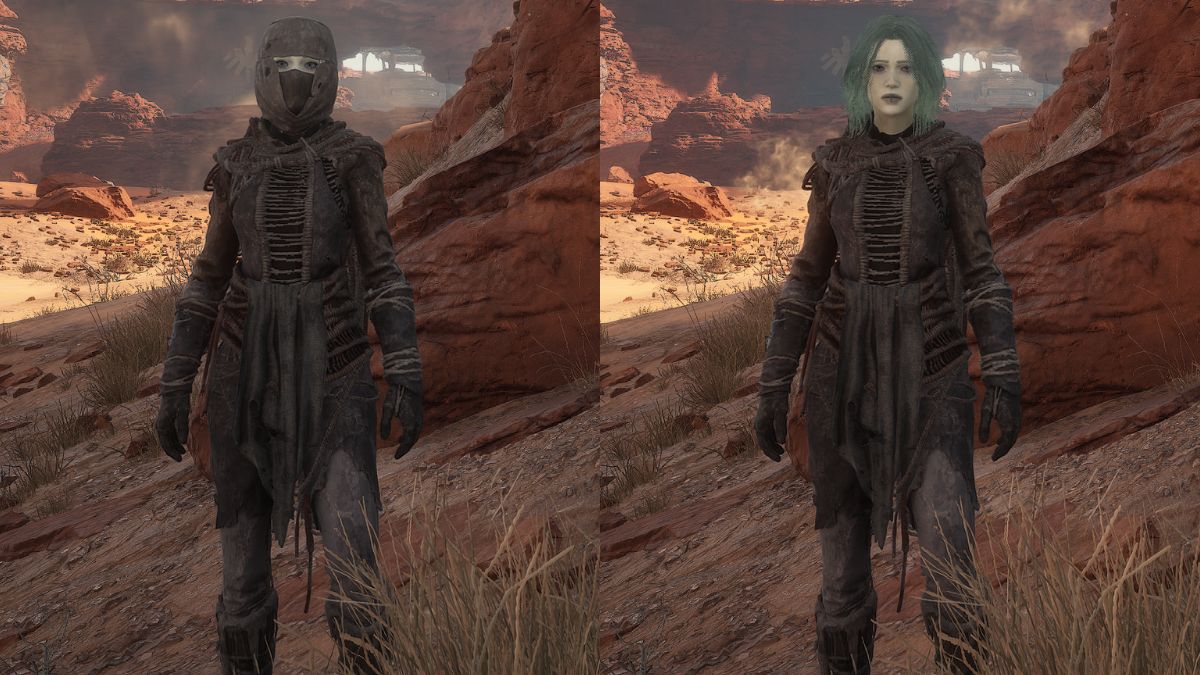
Imagine spending a significant amount of time perfecting your character’s design, only to have it concealed by an unattractive but essential helmet. This scenario may arise in Dune: Awakening, but there’s a way to avoid it. You can navigate the treacherous sands without hiding your character’s face.
Here’s how to remove your helmet in Dune: Awakening so you can showcase your character.
How to Remove Your Helmet in Dune Awakening
To hide your helmet or any headgear in Dune: Awakening, you’ll need to make adjustments in the game settings. Follow these steps:
- Access the settings menu from the main menu or pause menu.
- In the first tab labeled «Gameplay,» scroll until you locate the «Show Helmet» option.
- Change this setting to «No» and confirm your selection.
Once you’ve confirmed, the helmet will be hidden, allowing your character’s face to be visible during both gameplay and cutscenes.
If you later find a helmet you like and wish to show it off, simply switch the helmet option back to «Yes.» Conversely, if you’re not fond of your character’s appearance, you may choose to keep the option enabled.
It’s worth noting that the headgear or helmet will not appear in the character menu. It will be reflected in the equipped section but will not be visible on your character, similar to regular gameplay. Therefore, make sure to verify your equipped items before switching them out.
Is There a Shortcut for Hiding the Helmet in Dune Awakening?
Unfortunately, there is no keybind option available to hide the helmet in Dune: Awakening; it can solely be adjusted through the settings menu.
While it may feel somewhat inconvenient, it would be beneficial if the developers introduced a shortcut for toggling the helmet, as players are likely to use this feature frequently, especially since customization plays a significant role in any MMO experience.







