
The Sims 4 has been available for more than ten years, with developers continuously striving to enhance it and make it the best Sims experience possible. While engaging gameplay is crucial for keeping players interested, attention to detail and a sense of realism are equally important. This is why updates are regularly released. Additionally, improving the overall player experience in The Sims 4 remains a top priority.
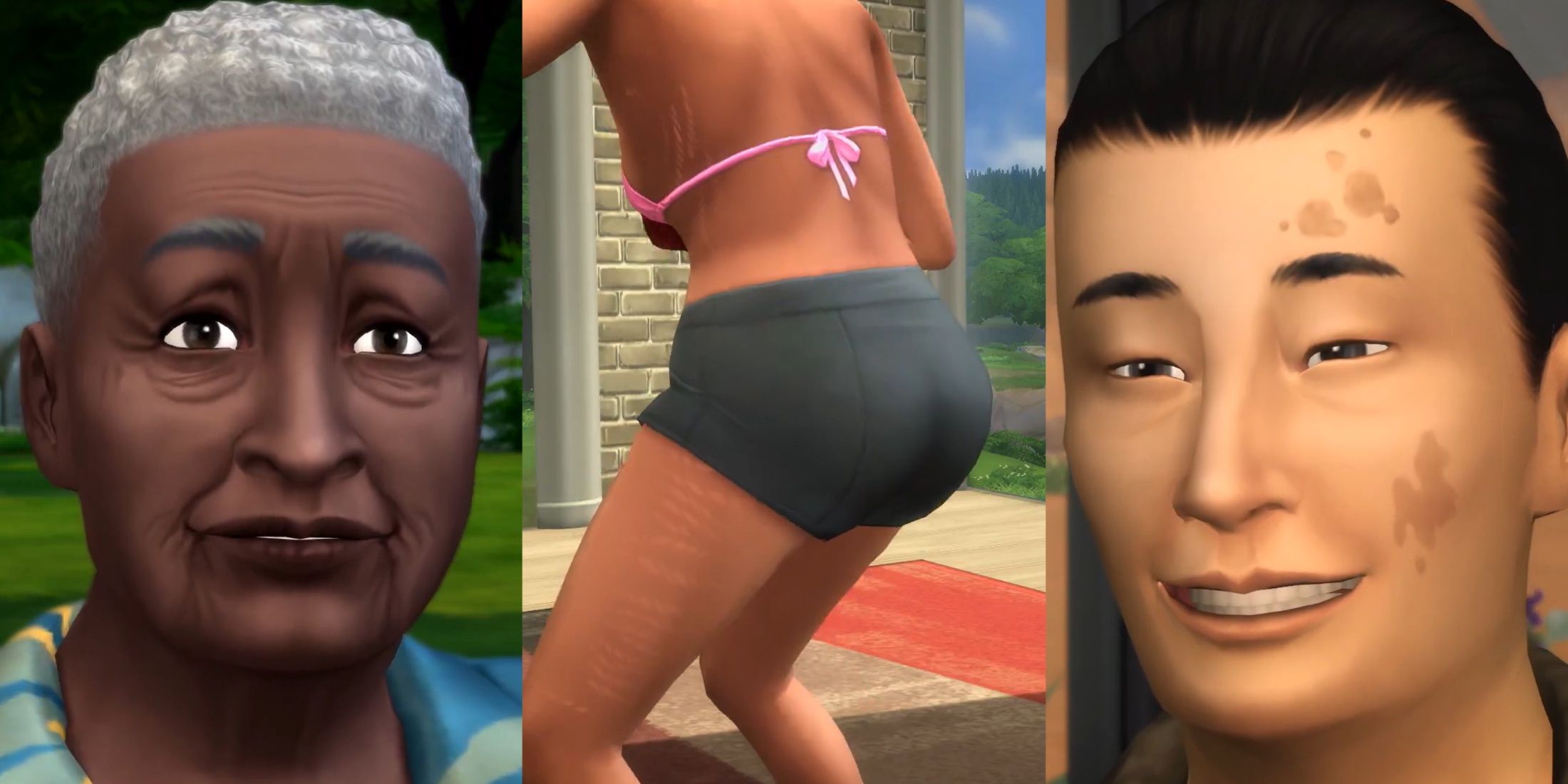
On August 19, The Sims 4 received another free update to the base game, introducing a variety of new features aimed at improving the realism of Sims’ appearances, particularly as they age. This article outlines what players should know about the new additions from this update.
Complete List of Features from the Base Game Update (08/19)
The August 19, 2025 base game update for The Sims 4 included several new features:
Enhanced Create-A-Sim Features
New Create-A-Sim Features Available in the Base Game Update
A host of new options have been added to The Sims 4, allowing players to create even more realistic Sims.
Modifications to body appearances, such as body freckles, rosacea, and stretch marks, can be found under the Skin Details section in Create-a-Sim. However, facial features like facial freckles and eye bags are only accessible when creating a Sim for the first time or by using the fulleditmode cheat prior to entering Create-a-Sim, as the Face menu is not accessible without cheats.
To unlock all Create-a-Sim options, players should enable cheats in The Sims 4 and enter «CAS.fulleditmode» in the cheat console.
After accessing the advanced Face menu, players will find the new detail options in the Skin Details and Eye Details tabs.
Pack Selection Option
Managing Packs in The Sims 4
The new Pack Selection feature allows players to enable or disable game packs without needing to uninstall them. Players can enter the Pause menu from the title screen, choose Pack Selection, and adjust their preferences accordingly. This way, they can play the game without those packs.
However, players may face some issues when reloading a save file after turning off a pack that was active during their last session. A warning message will appear, presenting three choices: they can continue, create a backup of the save file (PC only), or reactivate the missing packs.
This concern does not affect new save files, but if players forget to adjust the pack settings before loading a save with disabled packs, those packs will be included automatically.
Unless a bug occurs, disabling a pack will not compromise a save file if players enter it while the pack is disabled. Thus, players can toggle packs on and off freely; they simply need to ensure their pack selections are consistent before loading the save file.
New Ailment Features
Managing Ailments in The Sims 4
Ailments are not included in the base game; they are available only to owners of the Enchanted by Nature expansion pack. Recently, a significant change was made to allow players to toggle ailments on and off, an option requested by many following the expansion’s launch. This flexibility lets players avoid their Sims contracting these ailments.
To turn off ailments in The Sims 4, players should access the Pause menu, select Game Options, go to the Pack Settings tab, and uncheck the Enable Ailment Spread box in the Enchanted by Nature section. Once disabled, Sims will no longer contract ailments from the environment or from proximity to infected Sims. The only circumstances under which a Sim can develop an ailment is by receiving a curse from a fairy Sim or by leading a Very Imbalanced lifestyle.







