
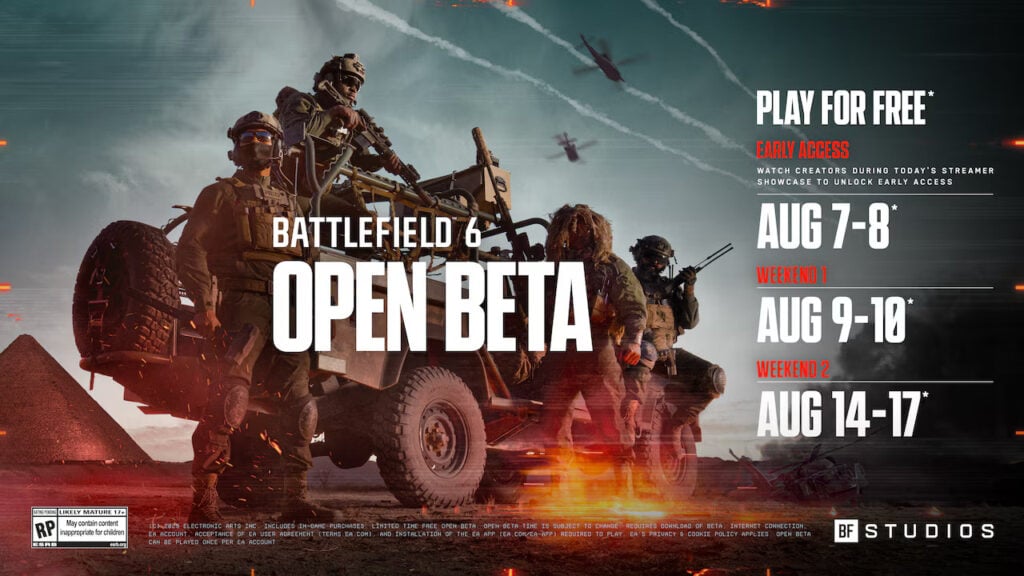
As the beta version of Battlefield 6 begins, players from around the globe are eagerly participating in the early testing phase. This short-lived beta opportunity allows fans to explore fresh maps, game modes, and mechanics ahead of the official launch while simultaneously enabling EA DICE to enhance performance, adjust weapon balance, and resolve bugs.
It is vital to be aware of the specific start and end times for each phase of the Battlefield 6 beta, as access will be revoked once the servers close, with no opportunity for gameplay until the next session or the game’s official release.
The BF6 beta comprises two separate open weekends scheduled for this month, with consistent starting and closing times across the globe. Knowing these timings will help players maximize their experience, complete objectives, and collect any limited-time rewards before the ends of the sessions.
Battlefield 6 Beta Schedule
The initial Battlefield 6 open beta is running from Saturday, August 9, to Monday, August 11, having been extended from its original timeline. The second round of the open beta is scheduled for Thursday, August 14, through Sunday, August 17, though EA DICE has not yet confirmed if this round will also be extended.
Timing for the Battlefield 6 Beta
Both open beta phases commence and conclude at the same time in all major time zones, allowing players three full days of access in the first weekend and four days during the second. Here are the precise timings for each region:
- Pacific Time (PT) (UTC -8): 1 AM
- Eastern Time (ET) (UTC -4): 4 AM
- British Summer Time (BST) (UTC +1): 9 AM
- Central European Summer Time (CEST) (UTC +2): 10 AM
- India Standard Time (IST) (UTC +5:30): 1:30 PM
- China Standard Time (CST) (UTC +8): 4 PM
- Japan Standard Time (JST) (UTC +9): 6 PM
- Australia Eastern Standard Time (AEST) (UTC +10): 6 PM
New maps and modes will be introduced during the second weekend of the open beta, so it’s a good idea to plan your gaming schedule to take advantage of the fresh content.
For additional tips on BF6, explore guides on optimizing your settings and using the Range Finder to achieve accurate weapon zeroing with your sniper rifle or DMR.







