
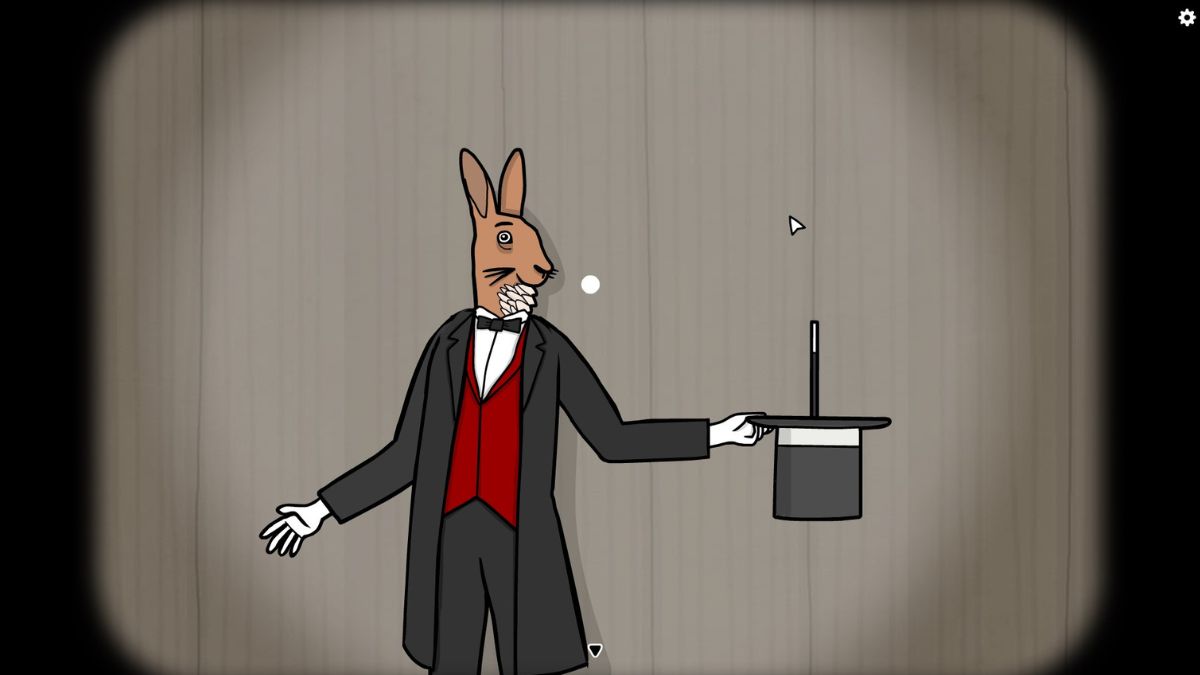
The Mr. Rabbit Magic Show is a delightful point-and-click puzzle adventure created to commemorate the 10th anniversary of Rusty Lake and is available for free on Steam.
Below, you will find an exhaustive walkthrough for The Mr. Rabbit Magic Show, outlining how to solve each magic trick in every act and tackle the extra challenges leading to the office party at the conclusion of the game.
Walkthrough for The Mr. Rabbit Magic Show
The Mr. Rabbit Magic Show is a click-based game where players must complete various puzzles by clicking on items in the precise order, dragging and dropping objects, and identifying hidden elements. The game is divided into two principal sections, with numerous achievements to collect throughout.
Act One
The adventure begins with a brief introduction to Mr. Rabbit, followed by a walkthrough of the game’s mechanics.
To commence, click on Mr. Rabbit’s top hat to take it off him, click again to reveal a magic wand, and drag it to his hand. Afterward, click on the hat once more to release a burst of colorful balloons.
Pop the balloons in the correct order based on their size, starting with the smallest. The sequence is as follows:
- Purple
- Green
- Yellow
- Red
- Blue
Upon completing each puzzle, you will automatically transition to the next act.
Act Two
When the curtains open for Act Two, click on Mr. Rabbit’s hat to take it off, then click again for a close-up view.
Interacting with the hat will present several flowers–arrange them based on the petal count, starting with the least. The correct sequence from left to right is:
- Purple
- White
- Red
- Green
- Yellow
- Blue
Act Three
Click on Mr. Rabbit’s hand when he appears to reveal a set of cards, and then click again for a closer view.
You need to select a specific card for each stage in this act. The appropriate sequence is:
- Ace
- Three of butterflies
- Seven of hearts
- Five of hearts
Act Four
Keep clicking the crumpled paper until it unrolls, then hit the curtains to start the next level.
Select the top hat, click again to summon a hand with a gun. There are five hats lined up above the stage; click the gun to shoot at the top hats until all are on stage.
Then fire again to produce a baseball and place it under the baseball hat.
Next, you’ll need to add five more objects: the hammer into the construction hat, binoculars into the explorer hat, a grenade into the military hat, a horseshoe into the cowboy hat, and finally the rabbit into the top hat.
Act Five
Click on Mr. Rabbit’s hat twice to take it off, then click a third time to summon a hand from within.
Five stages will follow, requiring you to click on the magic wand a number of times equal to the digits indicated by the hand from the hat, following numerical order.
Act Six
Tap to get a closer look, wait for the tiger to shut its eyes, and then drag Mr. Rabbit’s arm toward the tiger’s mouth.
Once the tiger opens its eyes, stop; moving when its eyes are open will cost Mr. Rabbit an arm. Push slowly to the right to retrieve the rabbit hidden in the tiger’s jaws.
Act Seven
Click on the fly that lands on the curtains to shoo it away, then interact with the curtains to begin. Tap for a close view of the cabinets and open each one.
Rearrange the cabinet pieces to fit Mr. Rabbit back together–ensure the edges align correctly for a complete image.
The doors will shut once this task is completed. Then, click each cabinet from top to bottom to reveal the magician, concluding the trick.
Act Eight
This act involves clicking every item in the proper sequence to stop everything on stage from exploding. The correct sequence is:
- Number one
- Beige plant pot
- Carrots
- Blue and white vase
- Star
- Cake
- Red cup
- Top hat
Items will shift after each selection. Finally, click on Mr. Rabbit to complete the act.
Act Nine
Remove the mug before the curtains open. This act consists of three stages where you need to drag and release Mr. Rabbit’s top hat to launch a rabbit, ensuring it lands in the other hat on stage.
This may take several attempts, as the hat adjusts after each round. Remember that pulling the hat back shorter results in a shorter rabbit flight, while pulling it further sends the rabbit farther. Monitor the shadow of the rabbit at the bottom to gauge its trajectory.
Act Ten
Click on Mr. Rabbit twice to proceed. Swords will appear, and you must drag and drop the correct sword into its designated slot in the wooden box according to its length.
Start with the first sword at the top going into the +1 section, then the second sword from the top goes into the +3 section. The second sword from the bottom fits into the -2 section, and lastly, place the first sword from the bottom into the -1 section.
Act Eleven
Tap to begin and clear the error, then touch the magician to initiate. The goal is to illuminate every bulb visible on the screen by using the magician’s tools.
Tap the magic wand to turn on or off a bulb. Adjust the targeted bulb’s position by tapping Mr. Rabbit’s top hat and switch columns by clicking on the magician’s arm.
Act Twelve
In this section, Mr. Rabbit will conjure various flowers for Ms. Pheasant. Match the flowers she holds in her hat; if they align, drag them towards her; if not, drop them to the floor.
The required flowers are:
- Red rose/tulip
- Blue daisy with green center
- Yellow buttercup
- Orange daisy with white center
Act Thirteen
Tap the stage to proceed. Six top hats and a carrot will be displayed, each hiding a character, listed from left to right as follows:
- Cow
- Dog
- Squirrel
- Cat
- Mr. Rabbit
- Monkey
Feed each animal with the right food by dropping it into the corresponding hat. The arrangements are as follows:
- Carrot in hat five
- Bone in hat two
- Fish in hat four
- Banana in hat six
- Acorn in hat three
- Grass in hat one
Act Fourteen
This act begins to break the fourth wall. Click on the stage and then on the top hat to introduce a balloon. Clicking the balloon will cause a «critical error» message to pop up.
Click «ok» multiple times, leading you out of the game and into the Rusty Lake office, the developers of this puzzle adventure.
Resolving the «Bug» in Act 14
A laptop appears with a note nearby, giving a hint for a future password.
The note features a clock, a cube, a bird head, and a television.
Use the black arrow at the screen’s bottom to zoom out. Click the individual behind the desk and go through the conversation until they request tea.
Zoom out and click the globe to find a coffee cup; tap it to add it to your inventory.
Then, zoom out and click on the rug, revealing a chocolate wrapper to add to your inventory.
Utilize the right arrow to proceed to the next room.
Pick up the crumpled paper and VHS tape located by the pink chair.
Next, zoom in on the yellow cabinet. Slide each door to open them; you will uncover a Queen of Clubs card for an achievement on the left and an LP on the right to add to your inventory.
Interact with the yellow TV inside the cabinet, equip the VHS tape from your inventory, and insert it into the TV. A peculiar advertisement will begin, displaying the number 5 at intervals. This is the fourth digit for the password.
Zoom out and turn your focus to the shelves of the cabinet to find the remaining three numbers.
The clock serves as the first hint, indicating that it’s 7 PM currently, so the first number of the password is 7.
Next, click on the black cube. This will reveal the number 2 in glimmers, indicating the second number is 2.
Finally, zoom out, and click the bird head. When you click on the eye, it will do a figure of eight motion, implying that the third number for the password is 8.
Combining these values, the password you will need later is 7285. Additionally, you can collect another achievement by opening the comic book located on the lower shelves and acquiring the Ace of Spades achievement card.
Zoom out and focus on the paintings. Align the smaller paintings with the landmarks illustrated in the larger painting.
Following a clockwise direction, the correct order is:
- Windmill
- Church
- Mansion
- Black and white building
- Person
- Bridge
Completing this task will uncover a book of matches behind the larger painting, which you can add to your collection.
Zoom out and enter the next room on the right.
Talking to individuals on both sides will clarify that one needs a cold drink while the other requests coffee. Check the whiteboard for your current objectives–prepare the drinks, repair the bug, and subsequently, update the anniversary game.
Focus on the desk and select the assortment of papers. Extract them from the center to find a tea bag, which can be added to your inventory.
Next, zoom out and proceed to the right again, leading into the kitchen area. If you interact with the plant and shake it with a few clicks, it will shatter to the ground. Among the shards, you will find a Queen of Spades card for an additional achievement.
Toss the crumpled paper and chocolate wrapper into the trash can by clicking to open and close the lid.
Then, retrieve a coffee capsule, a tea mug, and a soda can by opening the cupboards and the fridge.
Focus on the kitchen appliances on the counter. Drag the coffee mug to the coffee machine, followed by the coffee capsule. Click the white handle to brew the coffee, and afterward, pick up the filled coffee cup.
Next, position the tea mug on the counter and insert the tea bag. Drag the kettle and pour water into the mug to prepare the tea.
Deliver the drinks to the relevant characters in the studio by interacting with them and selecting the appropriate drink from your inventory–left to right: tea, soda, then coffee.
Once everyone has their drinks, the character in the yellow sweater will request that you assist with the bug fix.
Click on the computer screen to begin a text-based puzzle where you need to fill in the gaps in the code by selecting words from the bottom of the screen and placing them appropriately. Starting from the top, the correct word order will be:
- Rabbit
- Hat
- Rabbit
- Rabbit
- Wand
- Balloon
- Balloon
Submit the code, then compile the game after the prompt. Maarten will give you a USB stick here.
This USB stick will enable you to return to the main game. Before leaving, you can acquire one more achievement. Wiggle the light fixture in the main room with the laptop to pick up the King of Clubs card from the floor.
Zoom in on the laptop, insert the USB stick, and type in your name and the password 7285 to continue.
This will take you back to Act 14. Click on the hat, the wand, and then the balloon, resulting in a massive creature descending onto Mr. Rabbit.
Act Fifteen
Click on the water tank onstage to immerse Mr. Rabbit within, then click again to summon an assortment of keys, which will unlock his chains.
The second key from the top on the left has two prongs, which unlocks his waist chain. The three-pronged key on the bottom right frees his arms, while the single-pronged one on the bottom right secures his feet.
Drag each key to the respective lock, click the padlocks to unlock them, tap the chains to remove them, and finally, click the rope around Mr. Rabbit’s feet to conclude the trick.
Act Sixteen
Tap on the stage to begin, then select the mirror twice. You will see a mirror world version of Mr. Rabbit alongside various items scattered on the floor.
This act requires matching the items reflected in the mirror with their counterparts on stage by dragging them into Mr. Rabbit’s hand. The order for the items is as follows:
- Rabbit
- Sun
- Weight
- Snail
- Coffee
- Rock
- Elephant
- Rose
Act Seventeen
This trick involves angling the various top hats on stage to create a clear path for the dove to fly through, guiding it towards the white hat to the right.
Starting from the upper left, follow the instructions below to arrange the hats correctly:
- Tilt the leftmost hat so its brim faces the opposite corner of the screen.
- Point the next hat straight down.
- Angle the following hat to match the first hat’s angle.
- Face the next hat straight down.
- Adjust the final hat in this row to point downwards towards the bottom left corner, opposite to the first.
- On the bottom row, tilt the left hat to face toward the previous hat, aiming at the upper right corner.
- Tilt the next hat toward the top left corner, aligning it with the first hat you adjusted.
- Replicate the angle of the previous hat with the last one, directing it toward the top left of the screen.
Once the hats are positioned correctly, click on Mr. Rabbit’s top hat to launch the dove through to the white hat.
Act Eighteen
Select Mr. Rabbit to start. Your goal is to turn on all four lights by transforming Mr. Rabbit into different characters sequentially. This is achieved by clicking each body part and cycling through the available options to match them accordingly.
The characters you need to identify are:
- Mr. Rabbit
- Alternate version of Mr. Rabbit in a brown suit
- A man sporting a brown hat and boots
- The eldritch being wearing a rabbit mask
Successfully matching the components for each character in this sequence will prompt them to activate the lights. The fourth light will illuminate when the eldritch being is set, completing the act.
Act Nineteen
Select Mr. Rabbit, and then tap on the top hat to summon a dove. Tap the dove again to unveil a series of musical notes.
The goal here is to strike the musical notes in the correct sequence. The order is determined by where the notes point, guiding you to the subsequent note.
For example, the note in the bottom left points directly to the next note on the right; this note then directs diagonally to the second note from the left in the next row above.
The path we devised for this sequence starts from the bottom right note, as this was found to be the easiest route to take.
Once the notes have been correctly played, tap the dove several times to transform it into Mrs. Dove, who subsequently turns Mr. Rabbit back into an ordinary rabbit.
Act Twenty
Echoing the first act, click on Mr. Rabbit and remove his hat, then click again to reveal the magic wand. Tap the hat once more to uncover a black hole.
Click the black hole again and place it on the stage floor, where it will oscillate from left to right. Click on it when it is positioned beneath Mr. Rabbit for him to fall inside.
A balloon will emerge from the black hole afterward. Click this balloon to conclude the final act.
The Office Party of The Mr. Rabbit Magic Show
Even after reaching the end of the magic show, once you see the thank-you screen, you’ll realize there is still more to explore in the game. You will return to the Rusty Lake office, staring at the same thank-you screen on the laptop.
Zoom out from the desk view and converse with the individual who previously requested tea. This time, you’ll need to prepare sandwiches for the team.
Continue to the right, retrieving the empty can from the trophy room floor, and enter the next room over. Inside the office, speak to a new employee in tartan to receive a fridge door handle.
Check the whiteboard for an updated list of tasks. Your new objectives are:
- Prepare lunch
- Order a cake
- Clean the office
- Put up decorations
- Host the anniversary party
Proceed to the right and enter the kitchen. Toss the crumpled soda can into the trash, then attach the fridge door handle to the fridge by dragging it onto the two black dots on the door.
Open the fridge and collect all its contents, then focus on the grill on the counter.
Place two slices of bread onto the grill, along with an ingredient like shrimp or cheese on each, and top with another slice of bread. Close the grill, then reopen it to retrieve the cooked sandwiches, repeating the process for the remaining two.
Distribute a sandwich to each character–there’s no specific distribution required–then stay patient as the room fills with smoke.
Keep moving left until you see a character with antlers. Interact with them to receive an ominous hint that «the past is never dead,» then continue left again, clicking on the two small floating lights that appear.
Go on until you spot a character with a bird head. Click them multiple times to exit this peculiar, smoke-filled realm and return to the office.
Head to the right into the office and speak with the character seated at the right-hand desk.
You now need to contact the cake shop. Walk over to the left desk and check the white mobile phone for a clue. Press the circle button to power it on. The second note in the yellow notes app reveals that «4 photos = mail login code.»
Exit this app by pressing the circle button and open the pink photos app.
You will find four photos here, showcasing the real-life counterparts of items on the shelves in the nearby trophy room. The items in order are:
- Pigeon plush
- Automaton
- Comic
- Bright yellow TV
Zoom out of the desk view, heading left back to the trophy room to figure out the code.
The pigeon plush, named Harvey, is the third plush in line, thus the first digit for the code is 3.
Interacting with the automaton, comic, and bright yellow TV–note that it’s not the light yellow one from earlier–will unveil the numbers 9, 6, and 1, respectively. Therefore, the code required to access the mail app is 1639.
Return to the phone, access the blue mail app, and input the code. Opening the first email titled «DISCOUNT» reveals the cake company’s phone number as 02074.
Exit the desk view and step left twice, going back to the area with the laptop. Interact with the black rotary phone on the wall and dial 02074. The cake company assures you that the cake will arrive shortly.
Afterward, welcome the cake through the door.
Tap to roll it into the next room and head right twice to navigate back into the office. Move the cake away from the whiteboard by clicking on the cart a few times, then tap it once more to place it on the floor. Delicious, floor cake!
Use the matches from your inventory to ignite the candles, then click the top left of the cake to slice off a piece.
Speak with the character at the right desk to hand over the cake piece, in return receiving a brush.
Return to the right to get back to the kitchen, then use the brush to clean the shards of the plant pot near the trash can. Disposing of the shards in the bin will reveal a key on the floor–this was why you previously placed trash in the bin, allowing you to collect it.
This key unlocks the nearby storage closet.
Inside, retrieve the pink LP and open the cardboard box to find two bundles of colorful flags.
Emptying the cardboard box of balloons allows some to appear on the floor when you zoom out. Spot the red rabbit balloon, click it multiple times to collect the Jack of Clubs and earn another achievement.
Zoom out, hang one bundle of colorful flags on the white hook in the upper room. Then, head right and hang the second string of flags on the white hook in the laptop room.
Once completed, the Rusty Lake team will arrive for the party. After everyone is present, move to the right and open the teal package on the floor to uncover the new red LP. Playing it on the gramophone will reward you with the King of Spades achievement card.
Proceed right once more into the office, where you will find the entire Rusty Lake team gathered around the cake. They’ll express their gratitude and ask you to blow out the candles, which you can do by clicking on them.
The group starts singing, but it’s abruptly interrupted by the alternate universe version of Mr. Rabbit wielding a Tommy gun as he pops out of the cake. No need for concern–this was just another trick, revealing it’s Mr. Rabbit in disguise brandishing a confetti gun.
With that, the credits will roll, leading you to know that you have technically completed The Mr. Rabbit Magic Show–yet there are still several post-credits achievement cards to collect for those aiming to achieve 100% completion.
One such achievement can be found on the «Rusty Laker of the Month» poster within the post-credits office. Simply click on the poster to collect the card for the achievement.
To explore the other lingering achievements, return to the mobile phone. Here, new apps, photos, and codes will be accessible, each leading to the remaining cards. Dedicate some time to scavenging the office with these clues to uncover all the whimsical achievements in this indie gem.







