
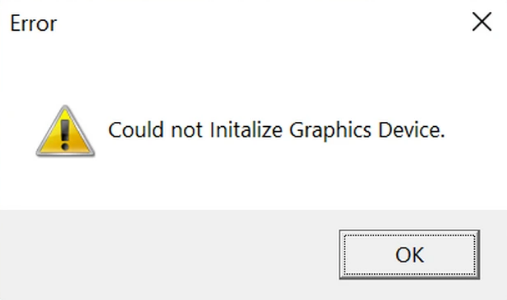
Graphics driver-related issues are a common occurrence in video games, and League of Legends is no exception. Players may encounter the frustrating «couldn’t initialize graphics device» error while trying to launch the game. Fortunately, these problems can often be resolved with relative ease.
If you’re experiencing difficulties starting League of Legends due to the «couldn’t initialize graphics device» error, let’s break down what it means and explore potential solutions.
Understanding the «Couldn’t Initialize Graphics Device» Error in LoL
This error typically indicates that League is unable to detect or utilize the necessary graphics device for proper startup. The warning appears in a Windows dialog box upon attempting to launch the game.
This issue is not exclusive to League; it has been reported with other games as well. It often stems from a Windows-related problem that can arise after a significant operating system update or if graphics drivers have not been updated for some time. In some cases, newly purchased PCs may require driver updates to fix this issue. No matter the cause, you can try the following solutions.
Solutions for the LoL «Couldn’t Initialize Graphics Device» Error
Update Graphics Drivers
Your first step should be to ensure that your graphics drivers are up to date. For users with an NVIDIA GPU, the NVIDIA app can be used to check for and install available updates. Similarly, AMD users can utilize the Radeon app for the same purpose.
Intel GPU users should download the appropriate drivers from the official Intel website. When installing, be sure to select the «Clean install» option for the best results.
Update Windows
Make sure to check for any critical updates to your operating system and install them as needed.
Windows updates are essential not just for operating system improvements but also for maintaining optimal functionality of your PC’s components. Missing out on crucial updates might be the reason behind the error.
Add Riot Client and LoL to Exception List
Your computer’s antivirus software, whether it’s Windows Defender or a third-party solution, might be blocking League from accessing critical features necessary for operation. Many users have resolved the «couldn’t initialize graphics device» issue by adding the game to their antivirus exception lists.
Testing whether disabling the antivirus firewall allows you to launch the game is also worthwhile. If that works, you should go into your firewall settings and add both the Riot app and the game to the exception list.
Disable Automatic Driver Updates
Some players have successfully addressed the error by turning off automatic driver updates in Windows. To do this, follow these steps:
- Open the Run dialogue by pressing the Windows key + R, type in gpedit.msc, and hit Enter to access the Group Policy Editor.
- Navigate to Computer Configuration > Administrative Templates > Windows Components > Windows Update > Manage updates offered from Windows Update.
- Enable the option for «Do not include drivers with Windows Updates.» Save and exit.
After this, reinstall the latest graphic drivers on your computer and attempt to relaunch League.
If none of these solutions work, it is advisable to reinstall League of Legends. If the problem continues, reach out to Riot Support for further assistance.







